How to connect PredictLeads to Claude Cowork

Cowork is Anthropic's AI agent for knowledge work. Think of it as Claude Code for everything else. It works autonomously with your computer, local files, and applications to accomplish complex tasks. This guide walks you through the easiest and most secure way to connect your PredictLeads account to Cowork via Composio Connect, enabling it to find hiring signals for stripe.com, list recent financing events for Datadog, identify technologies used by Shopify, and more such actions on your behalf without compromising your account security.

PredictLeads logoPredictLeads
Api Key

PredictLeads is a company intelligence API for hiring, technology, funding, news, product, and connection data. Use it to spot growth signals and enrich sales, research, and market workflows with fresh company context.

9 Tools

Introduction

Cowork is Anthropic's AI agent for knowledge work. Think of it as Claude Code for everything else. It works autonomously with your computer, local files, and applications to accomplish complex tasks.

This guide walks you through the easiest and most secure way to connect your PredictLeads account to Cowork via Composio Connect, enabling it to find hiring signals for stripe.com, list recent financing events for Datadog, identify technologies used by Shopify, and more such actions on your behalf without compromising your account security.

Also integrate PredictLeads with

Connecting PredictLeads to Claude Cowork

1. Open Customize

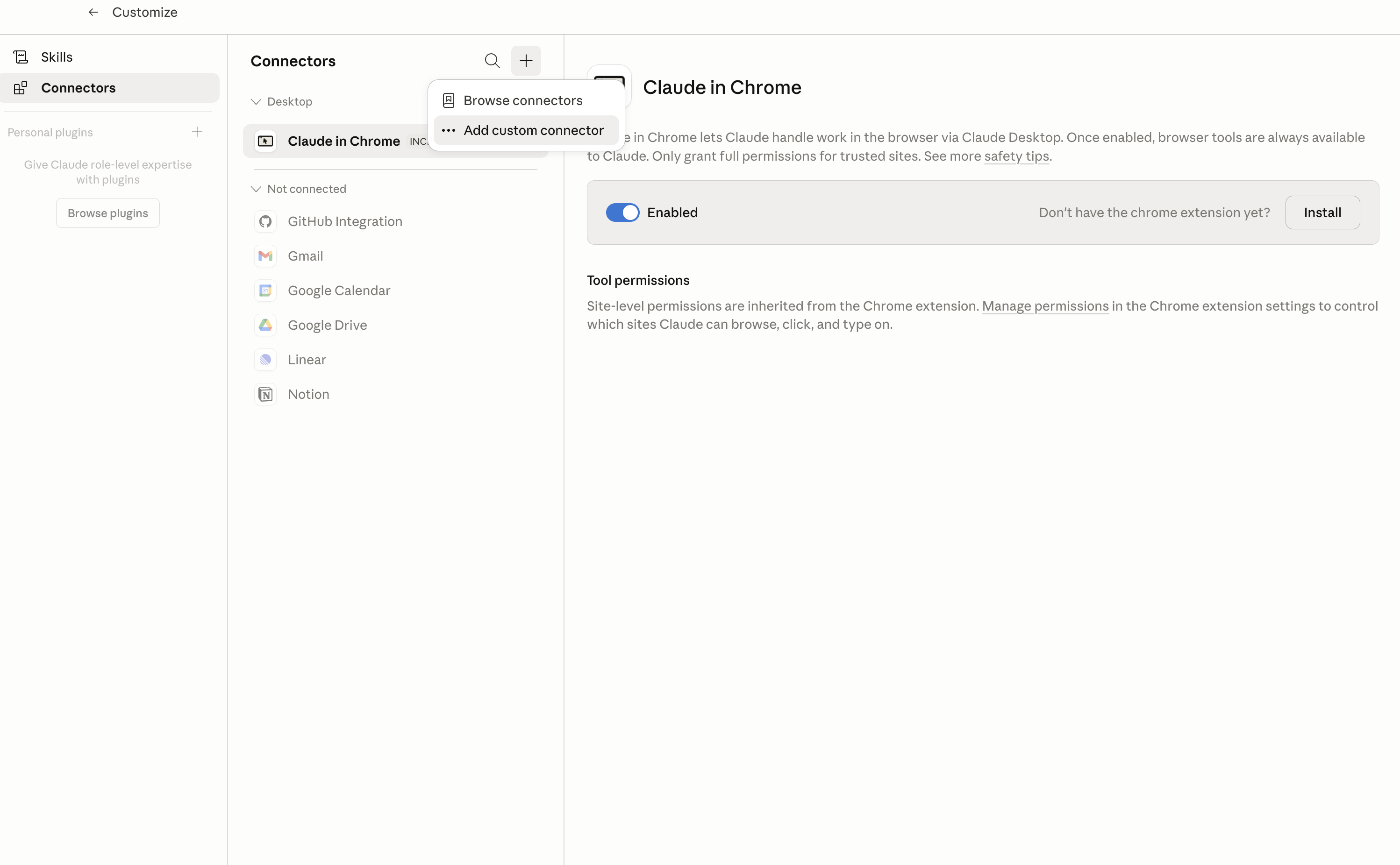
In Claude Desktop, click Customize in the left sidebar, then select Connectors and click the + icon at the top.

Claude Desktop connectors screen with Add custom connector selected

2. Add the Composio MCP server

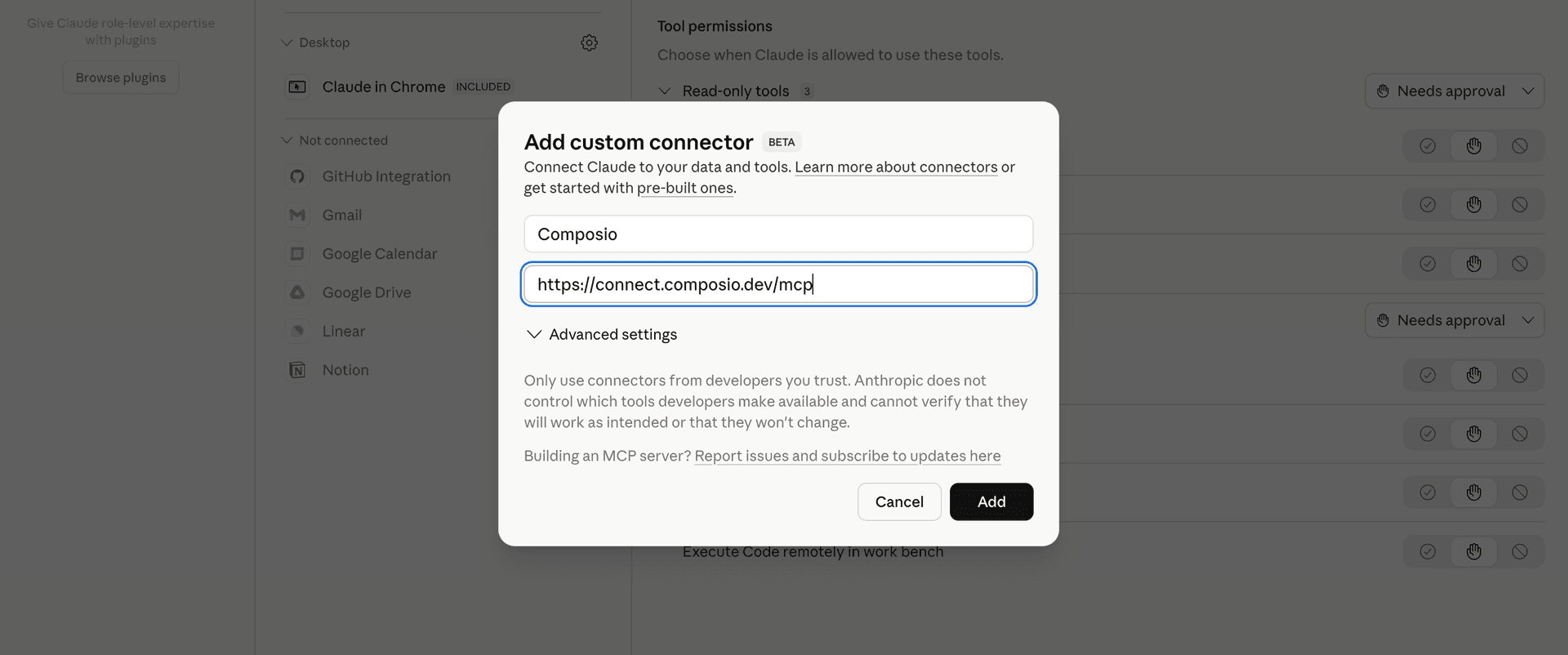
Click Add custom connector and paste in the Composio MCP server URL:

bash
https://connect.composio.dev/mcp
Add custom connector dialog with Composio MCP server URL

3. Authorize in your browser

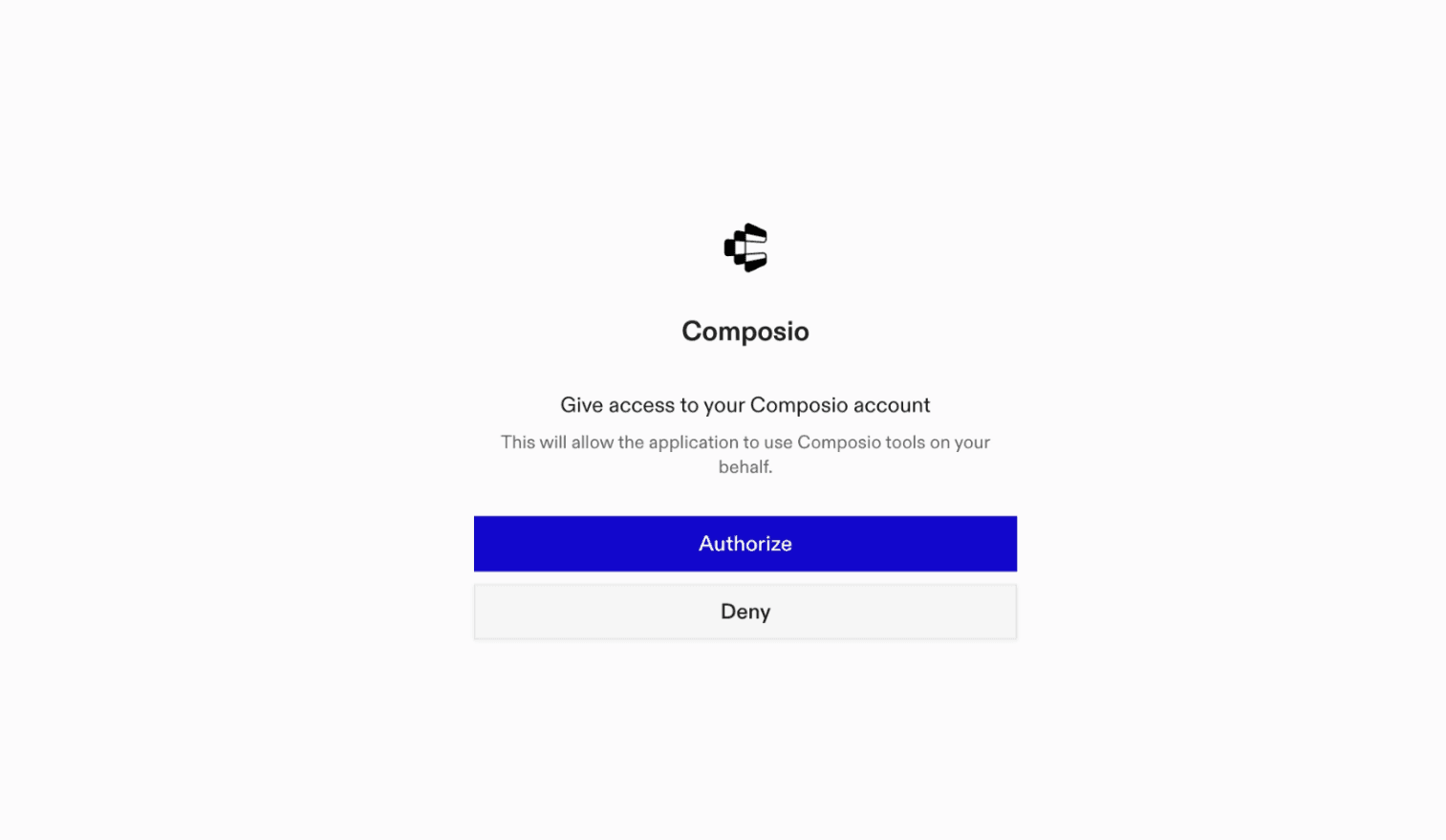
Click Connect. You'll be redirected to a browser window where you can authorize Composio to continue.

Composio authorization screen for Claude Cowork

4. Connect your PredictLeads account

Back in Cowork, ask the agent to connect to PredictLeads or give it any PredictLeads-related task.

For example, ask Cowork to:

  • "Find hiring signals for stripe.com"
  • "List recent financing events for Datadog"
  • "Identify technologies used by Shopify"

It will prompt you to authenticate and authorize access.

That's it. Composio's tools are now available in Cowork, and your PredictLeads account is ready to use.

What is Claude Cowork?

Claude Cowork is Anthropic's agent for general knowledge work. It can use your computer, files, and connected applications to complete longer-running tasks across your work tools.

With Composio Connect, Cowork can securely access apps like PredictLeads through MCP without you sharing account credentials directly with the agent.

What is the PredictLeads MCP server, and what's possible with it?

The PredictLeads MCP server is an implementation of the Model Context Protocol that connects your AI agent and assistants like Claude, Cursor, etc directly to your PredictLeads account. It provides structured and secure access to company profiles, hiring activity, technology adoption, financing, news, products, and business connections, so your agent can discover companies, research growth signals, compare similar businesses, search technologies, and monitor followed companies on your behalf.

  • Target company discovery: Have your agent find companies that match specific firmographic criteria and gather extended profiles for sales research.
  • Company intelligence research: Direct your agent to retrieve company details and investigate hiring, technology detections, news, financing, regulatory filings, business connections, website changes, repositories, and products.
  • Growth signal discovery: Let the agent search across companies for job openings, technology adoption, news, financing, investor portfolio connections, products, and startup platform posts.
  • Market and competitor analysis: Instruct your agent to find businesses similar to a chosen company and search the tracked technology catalog by name.
  • Account and company monitoring: Have your agent review followed companies and check your PredictLeads subscription status, monthly credit quota, and credit usage.
TOOLS

Supported Tools

Every PredictLeads action and event your agent gets out of the box.

Discover Companies

Find companies using firmographic filters.

Discover Intelligence

Discover one page of jobs, technology adoption, news, financing, investor portfolio connections, products, or startup-platform posts across companies.

Get API Subscription

Check PredictLeads subscription status, monthly credit quota, and credits used.

Get Company

Retrieve one company by PredictLeads UUID or bare domain.

Get Company Intelligence

Retrieve one page of a company's jobs, technology detections, news, financing, SEC filings, connections, website changes, GitHub repositories, or products.

Get Intelligence Record

Retrieve one job opening, extended technology detection, technology, news event, SEC filing, or product by identifier.

Get Similar Companies

Find one page of companies similar to a specified PredictLeads company UUID or domain.

List Followed Companies

List one page of companies already followed for PredictLeads webhook updates.

Search Technologies

Search PredictLeads' tracked technology catalog by fuzzy name.

FAQ

Frequently asked questions

With a standalone PredictLeads MCP server, the agents and LLMs can only access a fixed set of PredictLeads tools tied to that server. However, with the Composio Tool Router, agents can dynamically load tools from PredictLeads and many other apps based on the task at hand, all through a single MCP endpoint.

Yes, you can. Claude Cowork fully supports MCP integration. You get structured tool calling, message history handling, and model orchestration while Tool Router takes care of discovering and serving the right PredictLeads tools.

Yes, absolutely. You can configure which PredictLeads scopes and actions are allowed when connecting your account to Composio. You can also bring your own OAuth credentials or API configuration so you keep full control over what the agent can do.

All sensitive data such as tokens, keys, and configuration is fully encrypted at rest and in transit. Composio is SOC 2 Type 2 compliant and follows strict security practices so your PredictLeads data and credentials are handled as safely as possible.

Start with PredictLeads.It takes 30 seconds.

Managed auth, hosted MCP servers, and every PredictLeads tool your agent needs.Free to start.

Start building