How to integrate NamSor MCP with Hermes

Hermes is a 24/7 autonomous agent that lives on your computer or server — it remembers what it learns and evolves as your usage grows. This guide explains the easiest and most robust way to connect your NamSor account to Hermes. You can do this through either Composio Connect CLI or Composio Connect MCP. For personal use we recommend the CLI, but you won't go wrong with MCP either.

NamSor logoNamSor
Api Key

NamSor is a name intelligence API that parses and classifies personal names. Use it to infer likely gender, origin, ethnicity, and cultural context.

7 Tools

Introduction

Hermes is a 24/7 autonomous agent that lives on your computer or server — it remembers what it learns and evolves as your usage grows.

This guide explains the easiest and most robust way to connect your NamSor account to Hermes. You can do this through either Composio Connect CLI or Composio Connect MCP. For personal use we recommend the CLI, but you won't go wrong with MCP either.

Also integrate NamSor with

What is Composio Connect?

Composio Connect is a consumer offering that lets anyone plug 1,000+ applications directly into their agent harness — including Hermes. It can:

  • Search and load tools from relevant toolkits on-demand, reducing context usage.
  • Chain multiple tools to accomplish complex workflows via a remote workbench, without excessive back-and-forth with the LLM.
  • Manage app authentication end-to-end with zero manual overhead.

Integrating NamSor with Hermes

Using Composio Connect CLI

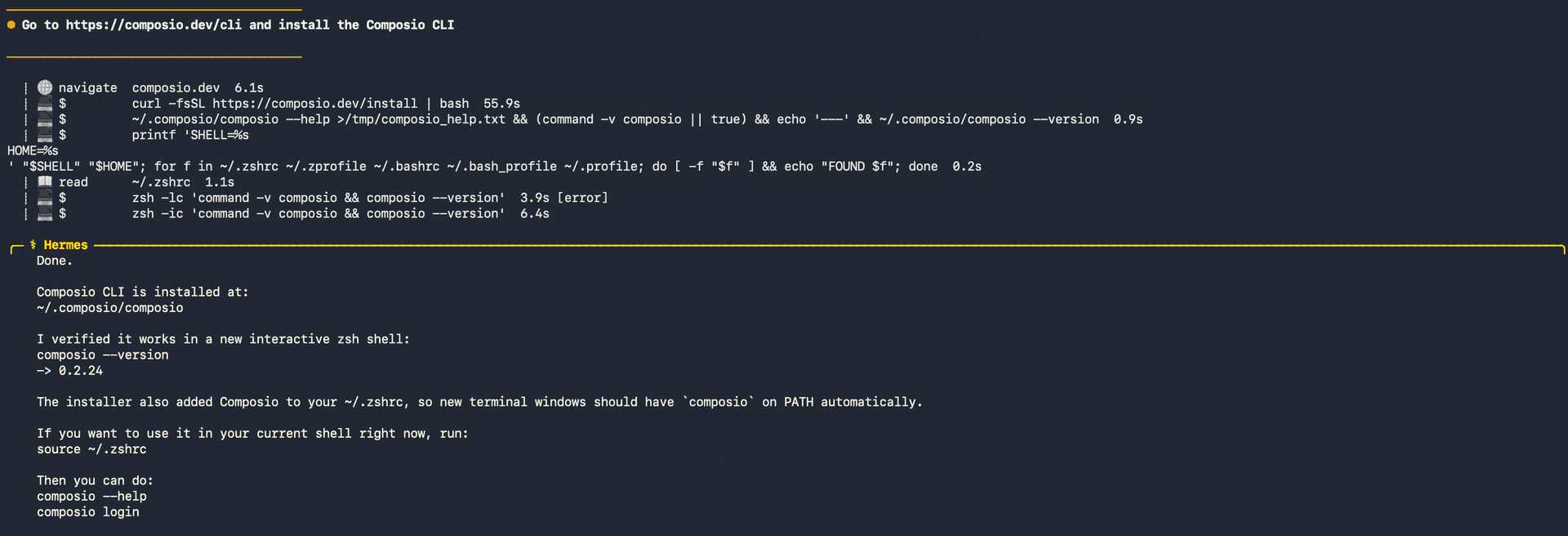
1. Install the Composio CLI

Run the install script directly, or paste https://composio.dev/hermes into your Hermes chat box to have it installed for you.

bash
curl -fsSL https://composio.dev/install | bash
Hermes authenticating with Composio

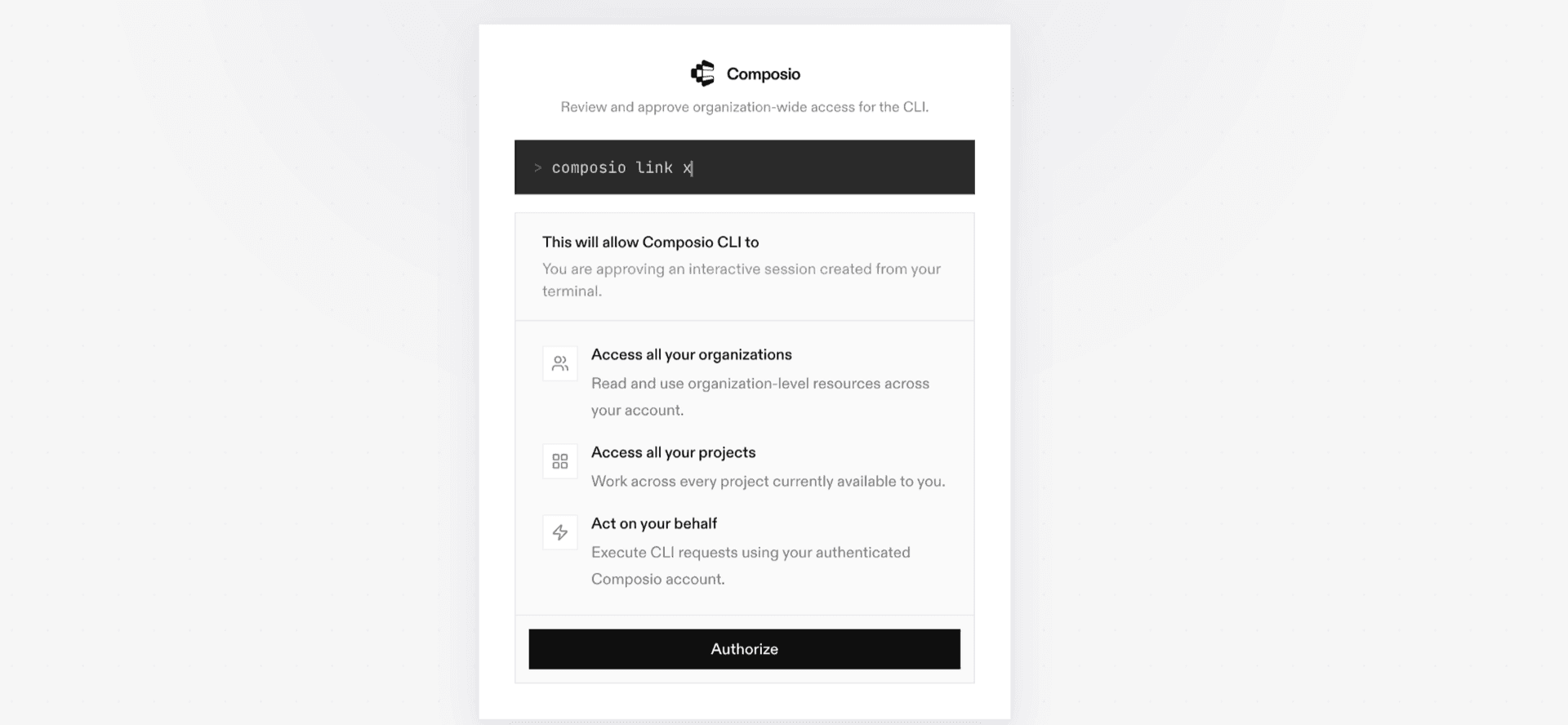
2. Authenticate

Once the CLI is installed, ask Hermes to authenticate with Composio.

3. Connect to NamSor

Ask your agent to connect to NamSor, or simply request any NamSor-related task. Hermes will prompt you to authenticate and authorize access.

4. Done. You're all set with a new NamSor connection.


Using Composio Connect MCP

1. Get your MCP URL and API Key

Go to dashboard.composio.dev and copy your Connect MCP URL and API key.

Copy MCP URL and API key from Composio dashboard

2. Open the Hermes config file

bash
nano ~/.hermes/config.yaml

3. Add the Composio Connect MCP server

bash
mcp_servers:
  composio:
    url: "https://connect.composio.dev/mcp"
    headers:
      x-consumer-api-key: "YOUR_COMPOSIO_API_KEY"
    connect_timeout: 60
    timeout: 180

Save with Ctrl + O, Enter, then exit with Ctrl + X.

4. Restart your Hermes agent

Once restarted, ask your agent to connect to NamSor or request any NamSor-related task. It will prompt you to authenticate and authorize access.

5. Done!

What is the NamSor MCP server, and what's possible with it?

The NamSor MCP server is an implementation of the Model Context Protocol that connects your AI agent and assistants like Claude, Cursor, etc directly to your NamSor account. It provides structured and secure access to personal name classification and enrichment, so your agent can parse names, infer gender, identify likely origins, classify diaspora, and estimate residence countries on your behalf.

  • Personal name parsing: Have your agent split full personal names into likely first-name and last-name components.
  • Gender and origin classification: Let the agent infer likely gender, countries of origin, and regions of origin from first-and-last names.
  • Diaspora and residence insights: Direct your agent to classify likely diaspora or ethnicity within a known country, or estimate likely countries and regions of residence.
  • Proper noun classification: Instruct your agent to determine whether proper nouns are likely personal names, brands, places, or other supported types.
  • Account usage monitoring: Have your agent check your NamSor plan, quota, current billing-period usage, limits, and overage summary without exposing your API key.

Way Forward

With NamSor connected, Hermes can now act on your behalf whenever it detects a relevant task or you ask it to.

From here, you can extend Hermes further:

  • Connect more apps: Calendar, Slack, Notion, Linear, and hundreds of others are available through the same Composio Connect setup. Each new integration compounds what Hermes can do for you.
  • Build workflows across tools: Once multiple apps are connected, Hermes can chain actions together — turn an email into a calendar invite, a Slack message into a Linear ticket, or a meeting note into a follow-up draft.
  • Let it learn your patterns: The more you use Hermes, the better it gets at anticipating how you'd handle recurring tasks. Give it feedback on drafts and decisions, and it will adapt.

If you run into trouble or want to share what you've built, join the community or check out the Docs for deeper configuration options.

TOOLS

Supported Tools

Every NamSor action and event your agent gets out of the box.

Classify Name Diaspora

Infer likely diaspora or ethnicity labels for one or more names within a known country of residence.

Classify Name Gender

Infer likely gender for one or more first-and-last names.

Classify Name Origin

Infer likely countries and region of origin for one or more first-and-last names.

Classify Proper-Noun Type

Classify one or more proper nouns as likely personal names, brand names, place names, or other NamSor types.

Classify Residence Country

Infer likely countries and region of residence for one or more full personal names.

Get Account Usage

Return the connected NamSor account's plan, quota, current billing-period usage, limits, and overage summary without exposing its API key.

Parse Personal Names

Parse one or more full personal names into likely first-name and last-name components.

FAQ

Frequently asked questions

With a standalone NamSor MCP server, the agents and LLMs can only access a fixed set of NamSor tools tied to that server. However, with the Composio Tool Router, agents can dynamically load tools from NamSor and many other apps based on the task at hand, all through a single MCP endpoint.

Yes, you can. Hermes fully supports MCP integration. You get structured tool calling, message history handling, and model orchestration while Tool Router takes care of discovering and serving the right NamSor tools.

Yes, absolutely. You can configure which NamSor scopes and actions are allowed when connecting your account to Composio. You can also bring your own OAuth credentials or API configuration so you keep full control over what the agent can do.

All sensitive data such as tokens, keys, and configuration is fully encrypted at rest and in transit. Composio is SOC 2 Type 2 compliant and follows strict security practices so your NamSor data and credentials are handled as safely as possible.

Start with NamSor.It takes 30 seconds.

Managed auth, hosted MCP servers, and every NamSor tool your agent needs.Free to start.

Start building