How to integrate Listclean MCP with Claude Code

Manage your Listclean directly from Claude Code with zero worries about OAuth hassles, API-breaking issues, or reliability and security concerns. You can do this in two different ways: Via Composio Connect - Direct and easiest approach Via Composio SDK - Programmatic approach with more control

Listclean logoListclean
Api Key

Listclean is an email verification service that helps you validate and clean up your email lists. It improves deliverability and protects your sender reputation by removing invalid addresses.

16 Tools

Introduction

Manage your Listclean directly from Claude Code with zero worries about OAuth hassles, API-breaking issues, or reliability and security concerns.

You can do this in two different ways:

  1. Via Composio Connect - Direct and easiest approach
  2. Via Composio SDK - Programmatic approach with more control

Also integrate Listclean with

Why use Composio?

  • Only one MCP URL to connect multiple apps with Claude Code with zero auth hassles.
  • Programmatic tool calling allows LLMs to write its code in a remote workbench to handle complex tool chaining. Reduces to-and-fro with LLMs for frequent tool calling.
  • Handling Large tool responses out of LLM context to minimize context rot.
  • Dynamic just-in-time access to 20,000 tools across 1000+ other Apps for cross-app workflows. It loads the tools you need, so LLMs aren't overwhelmed by tools you don't need.

Connecting Listclean to Claude Code using Composio

1. Add the Composio MCP to Claude

Terminal

2. Start Claude Code

bash
claude

3. Open your MCP list

bash
/mcp

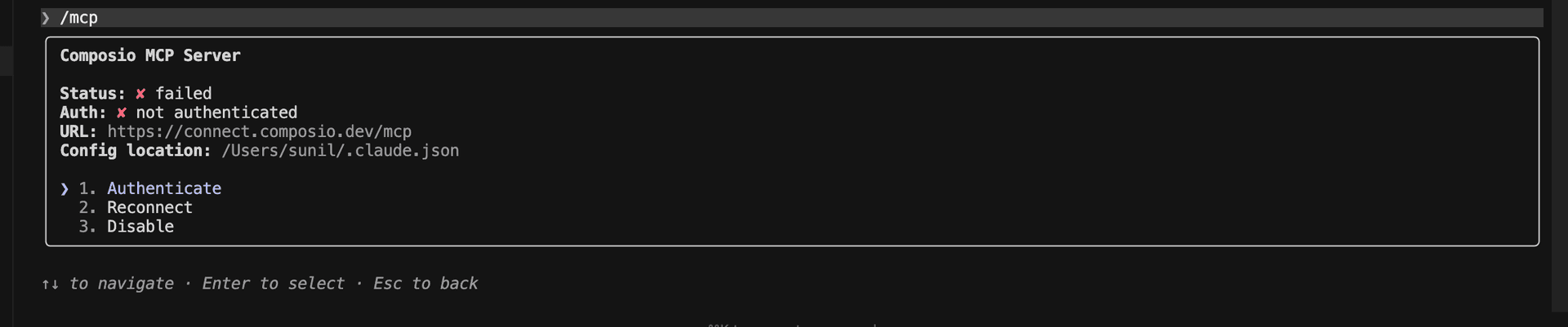
4. Select Composio and click on Authenticate

Select Composio and click Authenticate

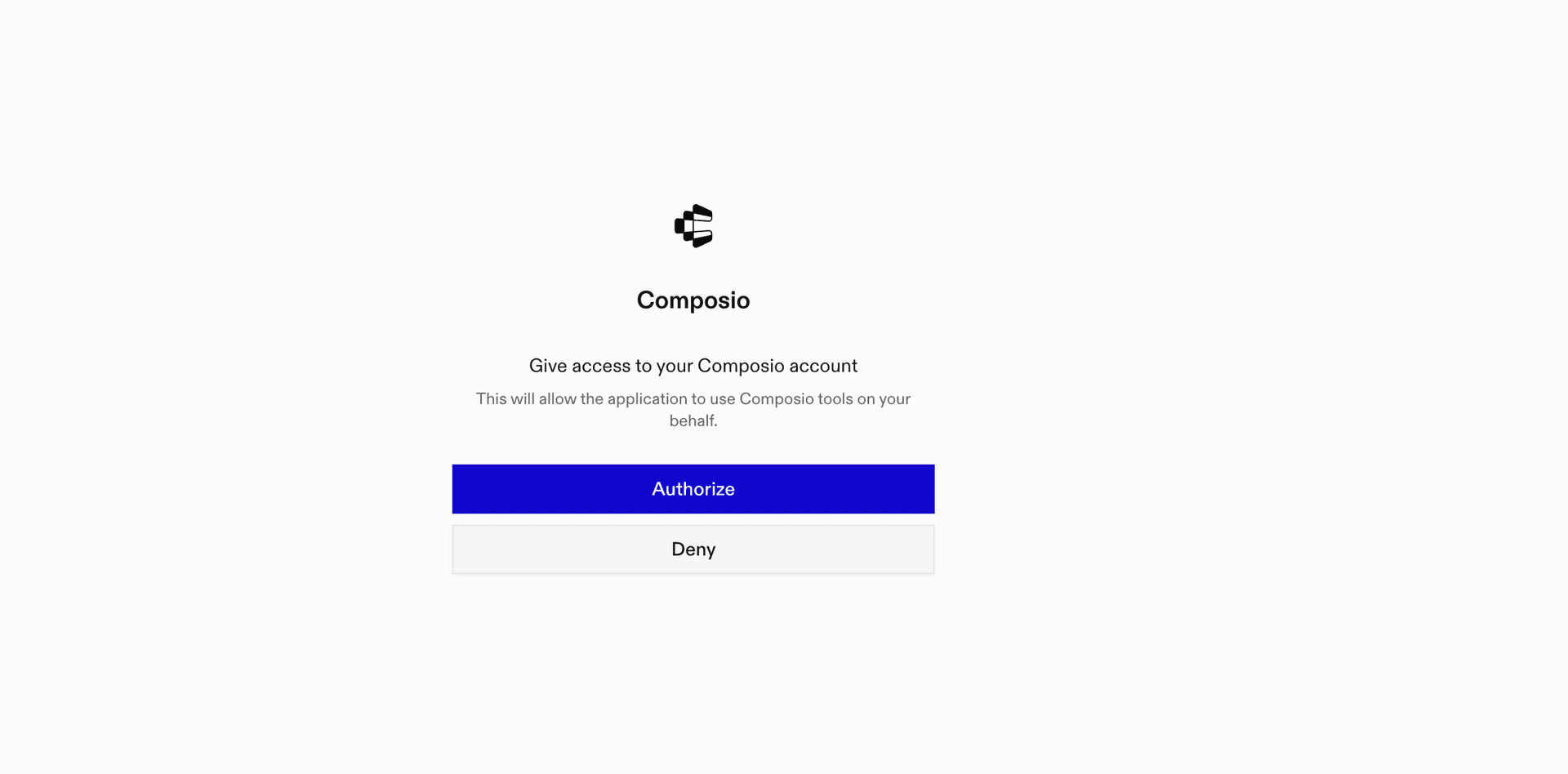
5. This will redirect you to the Composio OAuth page. Complete the flow by authorizing Composio and you're all set.

Composio OAuth authorization page
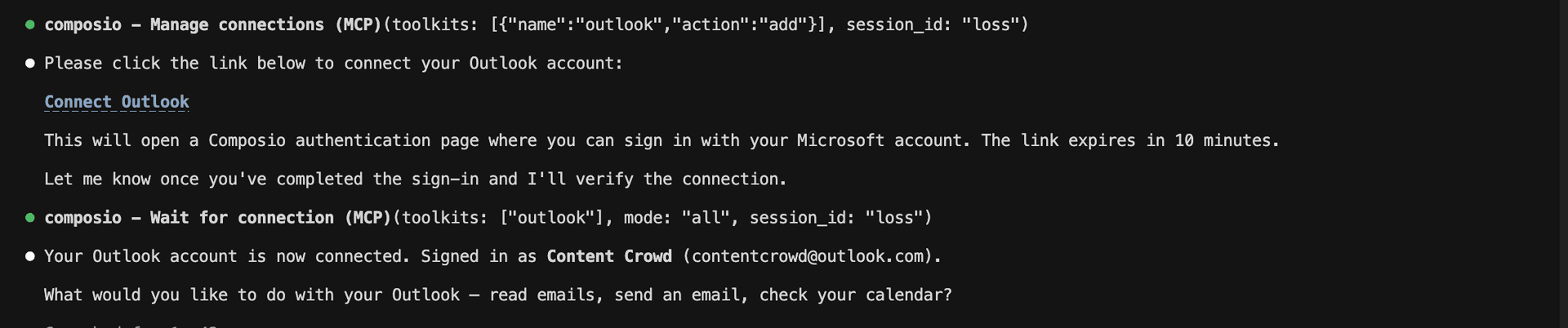
Composio authorization complete
Ask Claude to connect to your account and authenticate via the link

What is the Listclean MCP server, and what's possible with it?

The Listclean MCP server is an implementation of the Model Context Protocol that connects your AI agent and assistants like Claude, Cursor, etc directly to your Listclean account. It provides structured and secure access to your email verification tools, so your agent can perform actions like verifying emails, managing bulk verification lists, checking credits, and retrieving account info on your behalf.

  • Single email verification: Instantly check if an email address is valid, deliverable, or disposable—perfect for real-time signups or contact forms.
  • Bulk email list processing: Have your agent generate and upload CSV files of email addresses for large-scale verification and list cleaning.
  • Account credit monitoring: Easily monitor your remaining verification credits so your automations never hit a surprise limit.
  • Profile data retrieval: Let your agent fetch and review your Listclean account profile details for audits or reporting purposes.

Connecting Listclean via Composio SDK

Composio SDK is the underlying tech that powers Rube. It's a universal gateway that does everything Rube does but with much more programmatic control. You can programmatically generate an MCP URL with the app you need (here Listclean) for even more tool search precision. It's secure and reliable.

How the Composio SDK works

The Composio SDK follows a three-phase workflow:

  1. Discovery: Searches for tools matching your task and returns relevant toolkits with their details.
  2. Authentication: Checks for active connections. If missing, creates an auth config and returns a connection URL via Auth Link.
  3. Execution: Executes the action using the authenticated connection.

Step-by-step Guide

Step by step10 STEPS
1

Prerequisites

Before starting, make sure you have:
  • Claude Pro, Max, or API billing enabled Anthropic account
  • Composio API Key
  • A Listclean account
  • Basic knowledge of Python or TypeScript
2

Install Claude Code

bash
# macOS, Linux, WSL
curl -fsSL https://claude.ai/install.sh | bash

# Windows PowerShell
irm https://claude.ai/install.ps1 | iex

# Windows CMD
curl -fsSL https://claude.ai/install.cmd -o install.cmd && install.cmd && del install.cmd

To install Claude Code, use one of the following methods based on your operating system:

3

Set up Claude Code

bash
cd your-project-folder
claude

Open a terminal, go to your project folder, and start Claude Code:

  • Claude Code will open in your terminal
  • Follow the prompts to sign in with your Anthropic account
  • Complete the authentication flow
  • Once authenticated, you can start using Claude Code
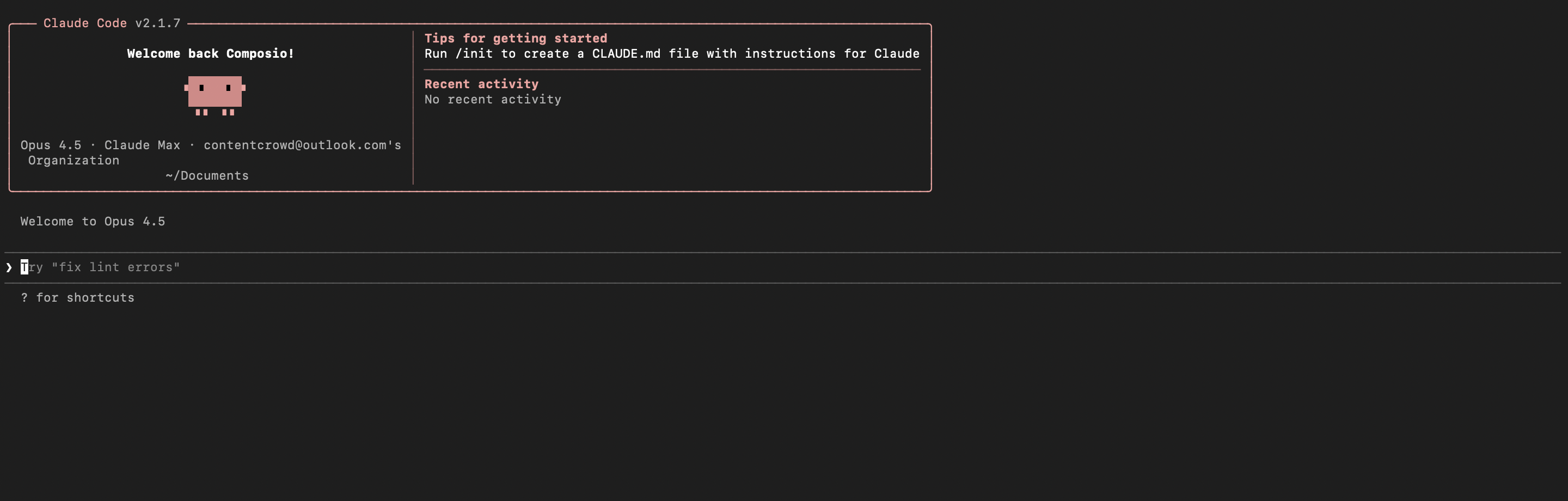
Claude Code initial setup showing sign-in prompt
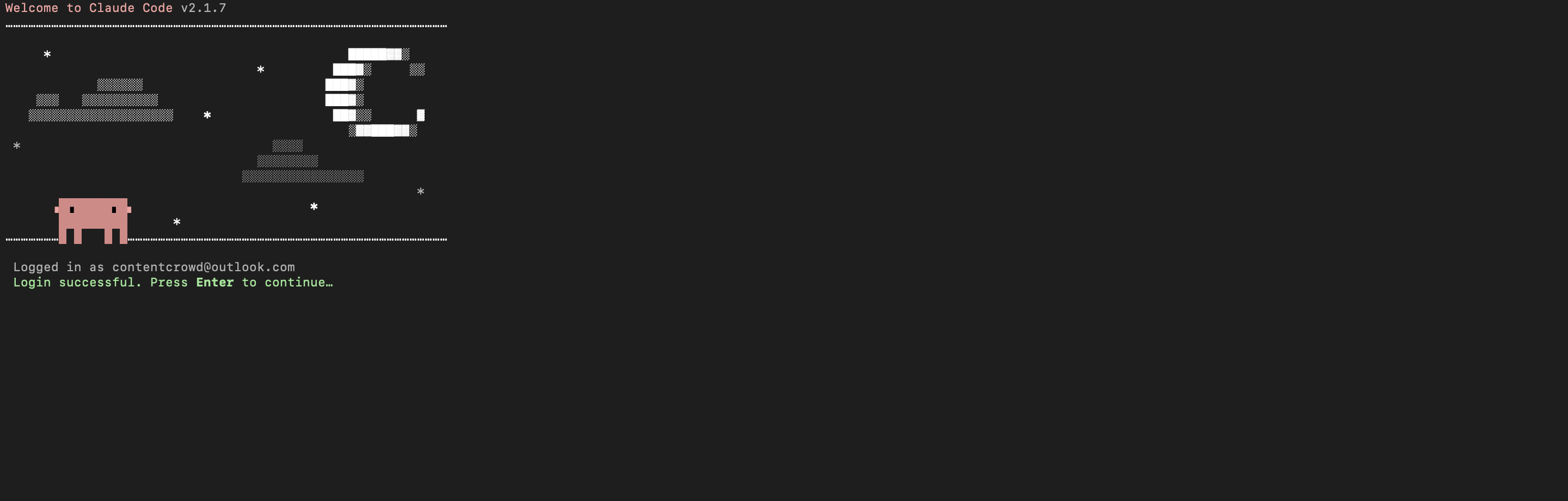
Claude Code terminal after successful login
4

Set up environment variables

bash
COMPOSIO_API_KEY=your_composio_api_key_here
USER_ID=your_user_id_here

Create a .env file in your project root with the following variables:

  • COMPOSIO_API_KEY authenticates with Composio (get it from Composio dashboard)
  • USER_ID identifies the user for session management (use any unique identifier)
5

Install Composio library

npm install @composio/core dotenv

Install the Composio TypeScript library to create MCP sessions.

  • @composio/core provides the core Composio functionality
  • dotenv loads environment variables from your .env file
6

Generate Composio MCP URL

import 'dotenv/config';
import { Composio } from '@composio/core';

const { COMPOSIO_API_KEY, USER_ID } = process.env;

if (!COMPOSIO_API_KEY || !USER_ID) {
  throw new Error('COMPOSIO_API_KEY and USER_ID required in .env');
}

const composioClient = new Composio({ apiKey: COMPOSIO_API_KEY });

const composioSession = await composioClient.create(USER_ID, {
  toolkits: ['listclean'],
});

const composioMcpUrl = composioSession?.mcp.url;

console.log(`MCP URL: ${composioMcpUrl}`);
console.log(`\nUse this command to add to Claude Code:`);
console.log(`claude mcp add --transport http listclean-composio "${composioMcpUrl}" --headers "X-API-Key:${COMPOSIO_API_KEY}"`);

Create a script to generate a Composio MCP URL for Listclean. This URL will be used to connect Claude Code to Listclean.

What's happening

  • We import the Composio client and load environment variables
  • Create a Composio instance with your API key
  • Call create() to create a Tool Router session for Listclean
  • The returned mcp.url is the MCP server URL that Claude Code will use
  • The script prints this URL so you can copy it
7

Run the script and copy the MCP URL

node --loader ts-node/esm generate_mcp_url.ts
# or if using tsx
tsx generate_mcp_url.ts

Run your TypeScript script to generate the MCP URL.

  • The script connects to Composio and creates a Tool Router session
  • It prints the MCP URL and the exact command you need to run
  • Copy the entire claude mcp add command from the output
8

Add Listclean MCP to Claude Code

bash
claude mcp add --transport http listclean-composio "YOUR_MCP_URL_HERE" --headers "X-API-Key:YOUR_COMPOSIO_API_KEY"

# Then restart Claude Code
exit
claude

In your terminal, add the MCP server using the command from the previous step. The command format is:

  • claude mcp add registers a new MCP server with Claude Code
  • --transport http specifies that this is an HTTP-based MCP server
  • The server name (listclean-composio) is how you'll reference it
  • The URL points to your Composio Tool Router session
  • --headers includes your Composio API key for authentication

After running the command, close the current Claude Code session and start a new one for the changes to take effect.

9

Verify the installation

bash
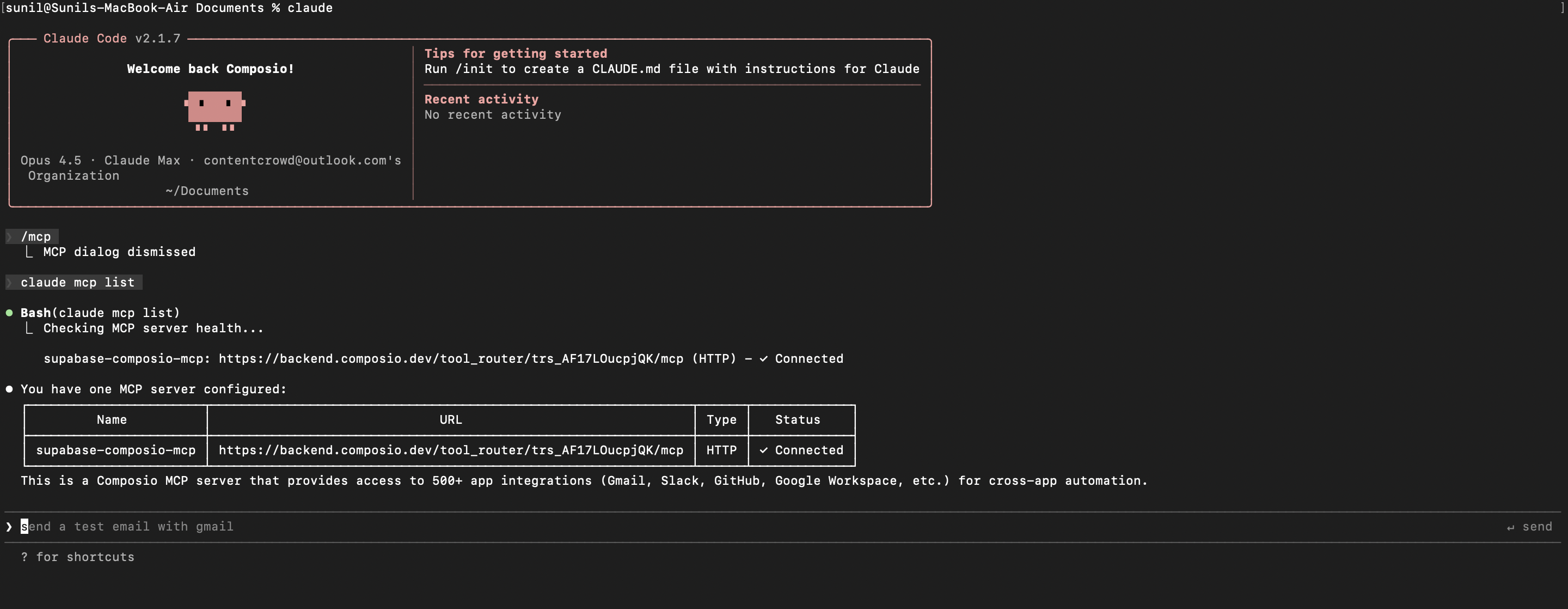
claude mcp list

Check that your Listclean MCP server is properly configured.

  • This command lists all MCP servers registered with Claude Code
  • You should see your listclean-composio entry in the list
  • This confirms that Claude Code can now access Listclean tools

If everything is wired up, you should see your listclean-composio entry listed:

Claude Code MCP list showing the toolkit MCP server
10

Authenticate Listclean

The first time you try to use Listclean tools, you'll be prompted to authenticate.

  • Claude Code will detect that you need to authenticate with Listclean
  • It will show you an authentication link
  • Open the link in your browser (or copy/paste it)
  • Complete the Listclean authorization flow
  • Return to the terminal and start using Listclean through Claude Code

Once authenticated, you can ask Claude Code to perform Listclean operations in natural language. For example:

  • "Verify if this email address is valid"
  • "Check how many email credits I have left"
  • "Create a CSV for bulk email verification"

Complete Code

Here's the complete code to get you started with Listclean and Claude Code:

import 'dotenv/config';
import { Composio } from '@composio/core';

const { COMPOSIO_API_KEY, USER_ID } = process.env;

if (!COMPOSIO_API_KEY || !USER_ID) {
  throw new Error('COMPOSIO_API_KEY and USER_ID required in .env');
}

const composioClient = new Composio({ apiKey: COMPOSIO_API_KEY });

const composioSession = await composioClient.create(USER_ID, {
  toolkits: ['listclean'],
});

const composioMcpUrl = composioSession?.mcp.url;

console.log(`MCP URL: ${composioMcpUrl}`);
console.log(`\nUse this command to add to Claude Code:`);
console.log(`claude mcp add --transport http listclean-composio "${composioMcpUrl}" --headers "X-API-Key:${COMPOSIO_API_KEY}"`);

Conclusion

You've successfully integrated Listclean with Claude Code using Composio's MCP server. Now you can interact with Listclean directly from your terminal using natural language commands.

Key features of this setup:

  • Terminal-native experience without switching contexts
  • Natural language commands for Listclean operations
  • Secure authentication through Composio's managed MCP
  • Tool Router for dynamic tool discovery and execution

Next steps:

  • Try asking Claude Code to perform various Listclean operations
  • Add more toolkits to your Tool Router session for multi-app workflows
  • Integrate this setup into your development workflow for increased productivity

You can extend this by adding more toolkits, implementing custom workflows, or building automation scripts that leverage Claude Code's capabilities.

TOOLS

Supported Tools

Every Listclean action and event your agent gets out of the box.

Create Bulk Verification List

Tool to create a CSV file with provided email addresses for bulk verification.

Delete List

Tool to permanently delete a single list from the account.

Download List Results as CSV

Tool to download list results as a CSV file.

Download List Results as JSON

Tool to download list results as JSON.

Get Account Profile

Tool to retrieve the authenticated account's profile.

Get Remaining Credits

Tool to retrieve remaining verification credits.

Get List Information

Tool to retrieve detailed information for a specific list.

Get Upload Status

Tool to retrieve the status of a specific upload.

Get Verification Logs

Tool to retrieve logs for all single email verifications.

List All Verification Lists

Tool to retrieve all email verification lists.

List CSV Uploads

Tool to retrieve the list of CSV uploads.

Start Upload

Tool to start a CSV upload process for bulk email verification.

Update Account Profile

Tool to update account profile details.

Upload Chunk

Tool to upload a chunk of a CSV file.

Verify Batch of Emails

Tool to verify a batch of email addresses (max 3000 emails).

Verify Email Address

Tool to verify an email's validity.

FAQ

Frequently asked questions

With a standalone Listclean MCP server, the agents and LLMs can only access a fixed set of Listclean tools tied to that server. However, with the Composio Tool Router, agents can dynamically load tools from Listclean and many other apps based on the task at hand, all through a single MCP endpoint.

Yes, you can. Claude Code fully supports MCP integration. You get structured tool calling, message history handling, and model orchestration while Tool Router takes care of discovering and serving the right Listclean tools.

Yes, absolutely. You can configure which Listclean scopes and actions are allowed when connecting your account to Composio. You can also bring your own OAuth credentials or API configuration so you keep full control over what the agent can do.

All sensitive data such as tokens, keys, and configuration is fully encrypted at rest and in transit. Composio is SOC 2 Type 2 compliant and follows strict security practices so your Listclean data and credentials are handled as safely as possible.

Start with Listclean.It takes 30 seconds.

Managed auth, hosted MCP servers, and every Listclean tool your agent needs.Free to start.

Start building