

How to connect Instatus to Claude Cowork

Cowork is Anthropic's AI agent for knowledge work. Think of it as Claude Code for everything else. It works autonomously with your computer, local files, and applications to accomplish complex tasks. This guide walks you through the easiest and most secure way to connect your Instatus account to Cowork via Composio Connect, enabling it to create incident for API outage, update maintenance window status page, list subscribers for status updates, and more such actions on your behalf without compromising your account security.
Instatus logoInstatus
Api Key

Instatus is a status page and incident communication platform for service health, incidents, maintenance, monitors, and subscribers. Use it to keep customers informed during outages, planned work, and live service updates.

15 Tools

Introduction

Cowork is Anthropic's AI agent for knowledge work. Think of it as Claude Code for everything else. It works autonomously with your computer, local files, and applications to accomplish complex tasks.

This guide walks you through the easiest and most secure way to connect your Instatus account to Cowork via Composio Connect, enabling it to create incident for API outage, update maintenance window status page, list subscribers for status updates, and more such actions on your behalf without compromising your account security.
Also integrate Instatus with

Connecting Instatus to Claude Cowork

1. Open Customize

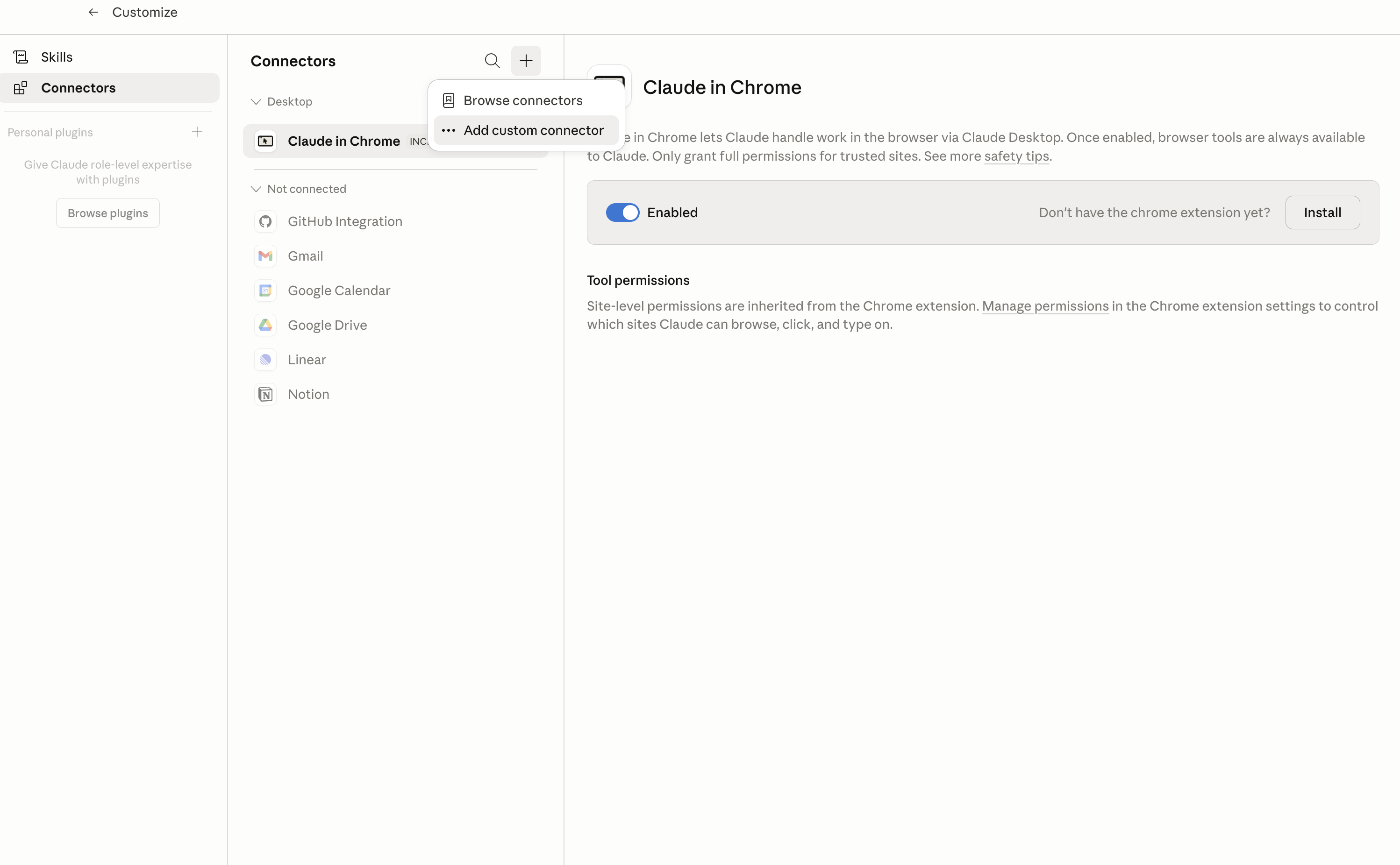
In Claude Desktop, click Customize in the left sidebar, then select Connectors and click the + icon at the top.

Claude Desktop connectors screen with Add custom connector selected

2. Add the Composio MCP server

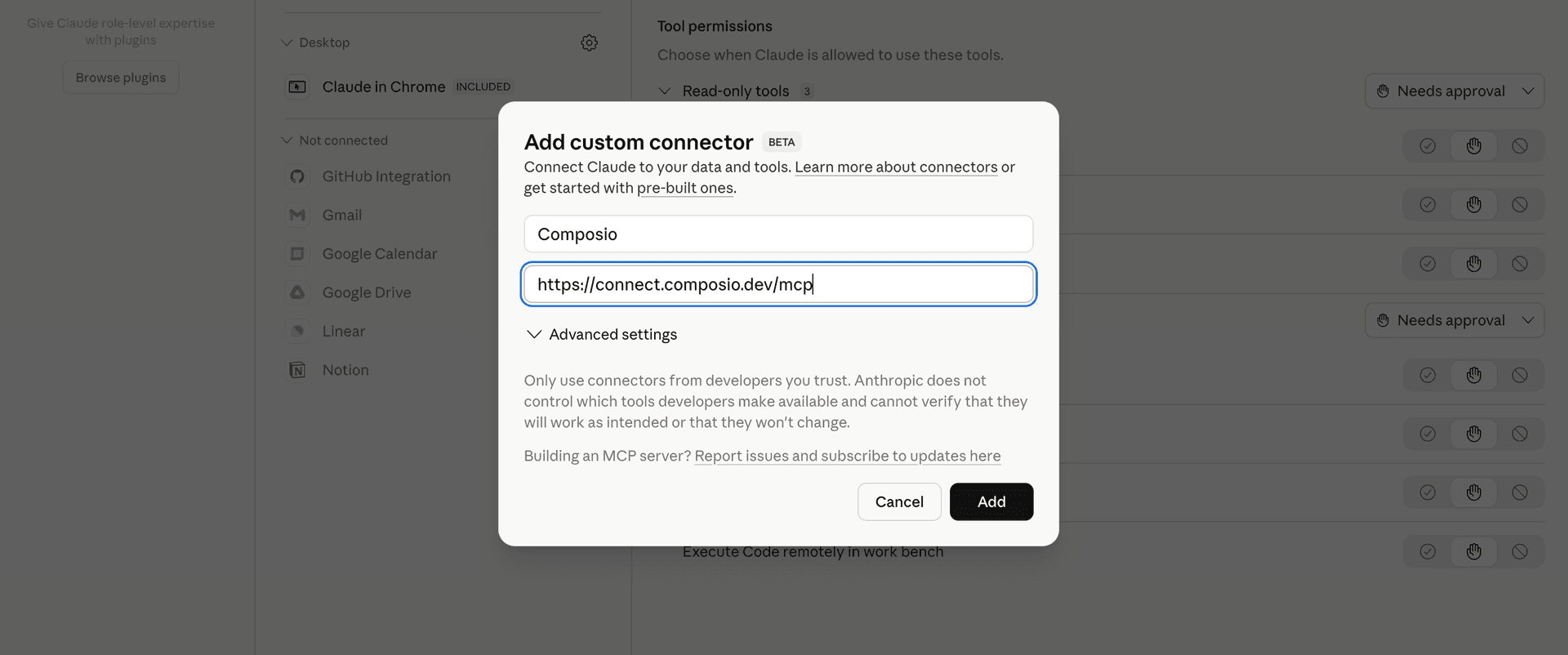
Click Add custom connector and paste in the Composio MCP server URL:

bash
https://connect.composio.dev/mcp
Add custom connector dialog with Composio MCP server URL

3. Authorize in your browser

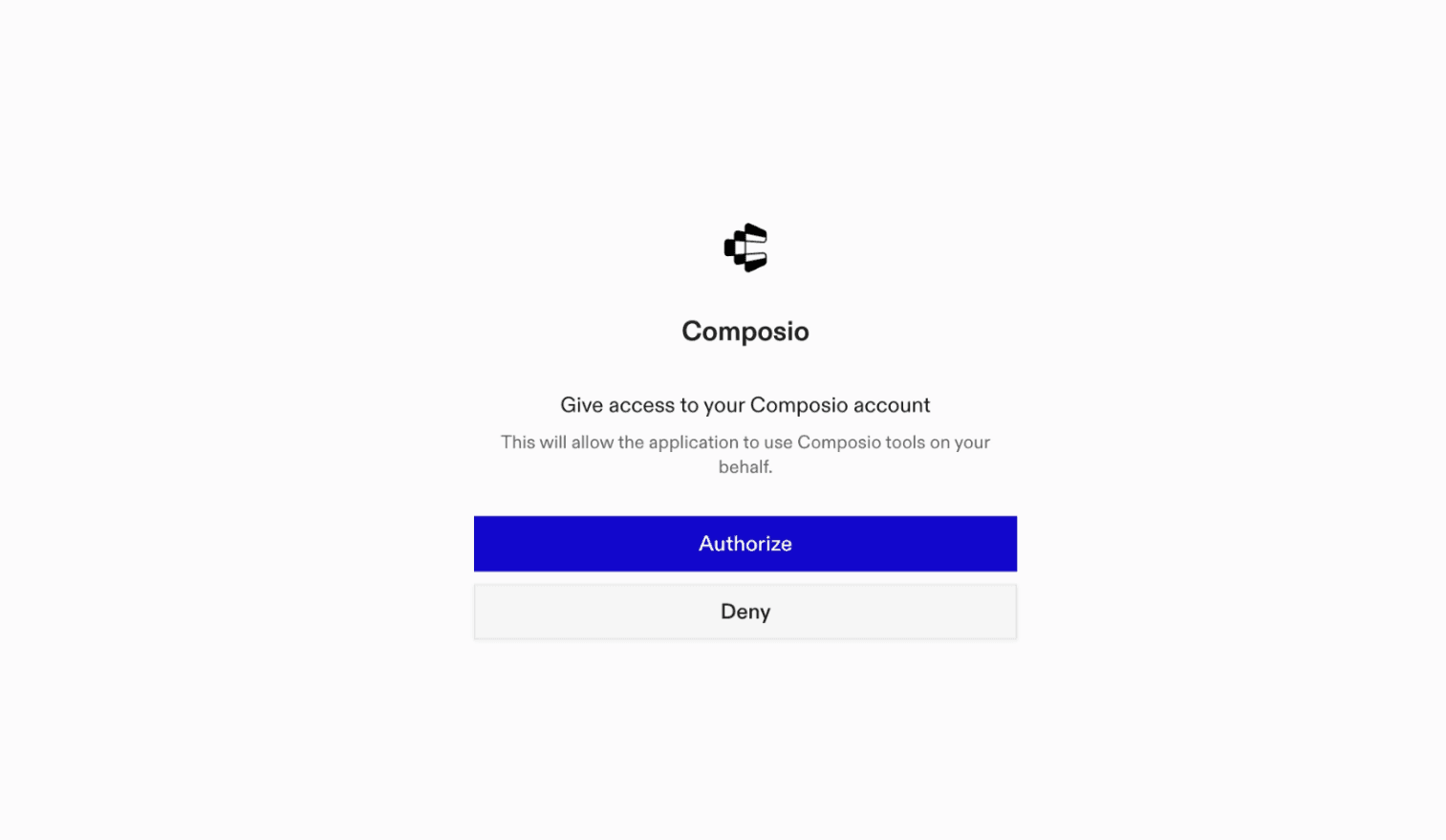
Click Connect. You'll be redirected to a browser window where you can authorize Composio to continue.

Composio authorization screen for Claude Cowork

4. Connect your Instatus account

Back in Cowork, ask the agent to connect to Instatus or give it any Instatus-related task.

For example, ask Cowork to:

  • "Create incident for API outage"
  • "Update maintenance window status page"
  • "List subscribers for status updates"

It will prompt you to authenticate and authorize access.

That's it. Composio's tools are now available in Cowork, and your Instatus account is ready to use.

What is Claude Cowork?

Claude Cowork is Anthropic's agent for general knowledge work. It can use your computer, files, and connected applications to complete longer-running tasks across your work tools.

With Composio Connect, Cowork can securely access apps like Instatus through MCP without you sharing account credentials directly with the agent.

What is the Instatus MCP server, and what's possible with it?

The Instatus MCP server is an implementation of the Model Context Protocol that connects your AI agent and assistants like Claude, Cursor, etc directly to your Instatus account. It provides structured and secure access to your status pages, components, incidents, maintenance, and service health, so your agent can monitor components, report incidents, publish updates, schedule maintenance, and review service history on your behalf.

  • Status page and service visibility: Have your agent list your status pages, review their components, and check the current health and configuration of a specific service.
  • Incident communication: Let the agent create incidents, review affected components and update history, edit incident details, and publish lifecycle updates as conditions change.
  • Maintenance planning: Direct your agent to schedule or start maintenance, inspect planned and past work, revise schedules and public messages, and post progress updates.
  • Component management: Instruct your agent to create status page components and update their health or presentation when service conditions change.
  • Operational history review: Have your agent list incidents and maintenance events to help your team understand recent disruptions, planned work, and current service status.
TOOLS

Supported Tools

Every Instatus action and event your agent gets out of the box.

Add Incident Update

Post a public lifecycle update to an Instatus incident and change affected component states.

Add Maintenance Update

Post a public progress update to an Instatus maintenance, optionally changing its lifecycle, timing, and affected component states.

Create Component

Create a component on an Instatus status page.

Create Incident

Create an incident on an Instatus status page with optional affected component states.

Create Maintenance

Schedule or start a maintenance on an Instatus status page.

Get Component

Get the current health and configuration of one component on an Instatus status page.

Get Incident

Get one Instatus incident with its affected components and update history.

Get Maintenance

Get one Instatus maintenance with its schedule, affected components, automation settings, and update history.

List Components

List components and their current health for one Instatus status page, including child components where present.

List Incidents

List incidents for an Instatus status page, optionally including or excluding lifecycle statuses.

List Maintenances

List scheduled and historical maintenances for an Instatus status page.

List Status Pages

List status pages available to the connected Instatus account so an agent can discover page IDs for component, incident, and maintenance operations.

Update Component

Change a component's health or presentation on an Instatus status page.

Update Incident

Edit an existing Instatus incident's name, timing, lifecycle status, affected components, or component states.

Update Maintenance

Fully replace an Instatus maintenance's public message, schedule, lifecycle state, affected components and states, and automation settings.

FAQ

Frequently asked questions

With a standalone Instatus MCP server, the agents and LLMs can only access a fixed set of Instatus tools tied to that server. However, with the Composio Tool Router, agents can dynamically load tools from Instatus and many other apps based on the task at hand, all through a single MCP endpoint.

Yes, you can. Claude Cowork fully supports MCP integration. You get structured tool calling, message history handling, and model orchestration while Tool Router takes care of discovering and serving the right Instatus tools.

Yes, absolutely. You can configure which Instatus scopes and actions are allowed when connecting your account to Composio. You can also bring your own OAuth credentials or API configuration so you keep full control over what the agent can do.

All sensitive data such as tokens, keys, and configuration is fully encrypted at rest and in transit. Composio is SOC 2 Type 2 compliant and follows strict security practices so your Instatus data and credentials are handled as safely as possible.

Start with Instatus.It takes 30 seconds.

Managed auth, hosted MCP servers, and every Instatus tool your agent needs.Free to start.

Start building








