How to integrate Help Scout MCP with Claude Code

Manage your Help Scout directly from Claude Code with zero worries about OAuth hassles, API-breaking issues, or reliability and security concerns. You can do this in two different ways: Via Composio Connect - Direct and easiest approach Via Composio SDK - Programmatic approach with more control

Help Scout logoHelp Scout
Oauth2

Help Scout is customer support software for shared inboxes, help centers, and customer management. It helps support teams resolve customer conversations faster with clear context and simple workflows.

129 Tools

Introduction

Manage your Help Scout directly from Claude Code with zero worries about OAuth hassles, API-breaking issues, or reliability and security concerns.

You can do this in two different ways:

  1. Via Composio Connect - Direct and easiest approach
  2. Via Composio SDK - Programmatic approach with more control

Also integrate Help Scout with

Why use Composio?

  • Only one MCP URL to connect multiple apps with Claude Code with zero auth hassles.
  • Programmatic tool calling allows LLMs to write its code in a remote workbench to handle complex tool chaining. Reduces to-and-fro with LLMs for frequent tool calling.
  • Handling Large tool responses out of LLM context to minimize context rot.
  • Dynamic just-in-time access to 20,000 tools across 1000+ other Apps for cross-app workflows. It loads the tools you need, so LLMs aren't overwhelmed by tools you don't need.

Connecting Help Scout to Claude Code using Composio

1. Add the Composio MCP to Claude

Terminal

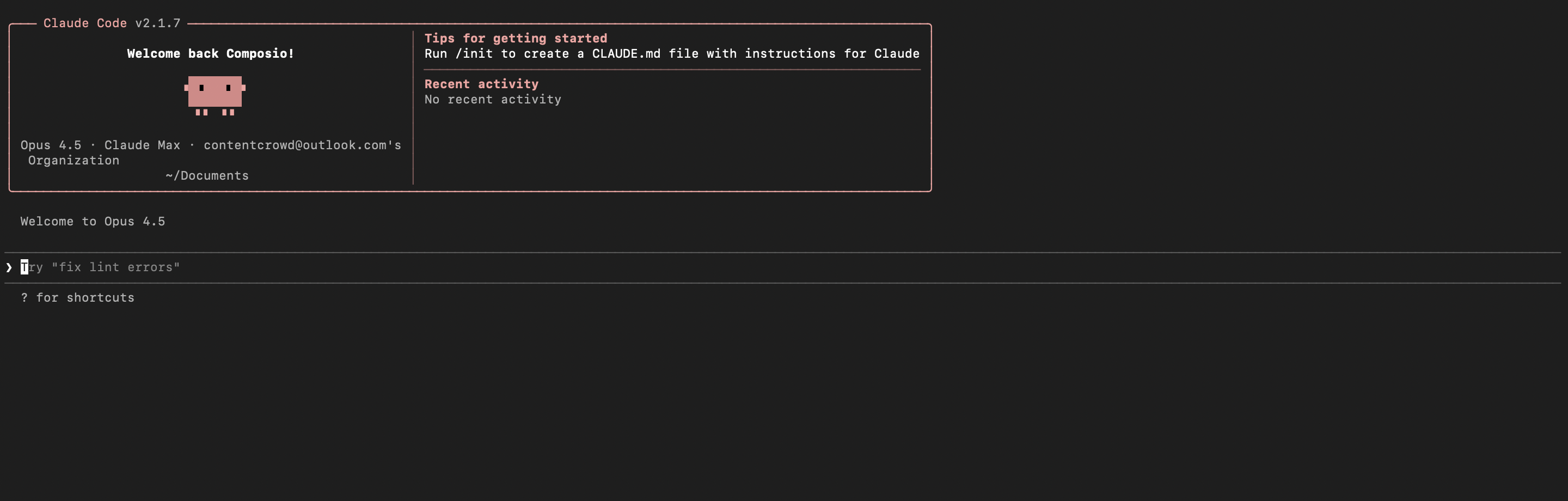
2. Start Claude Code

bash
claude

3. Open your MCP list

bash
/mcp

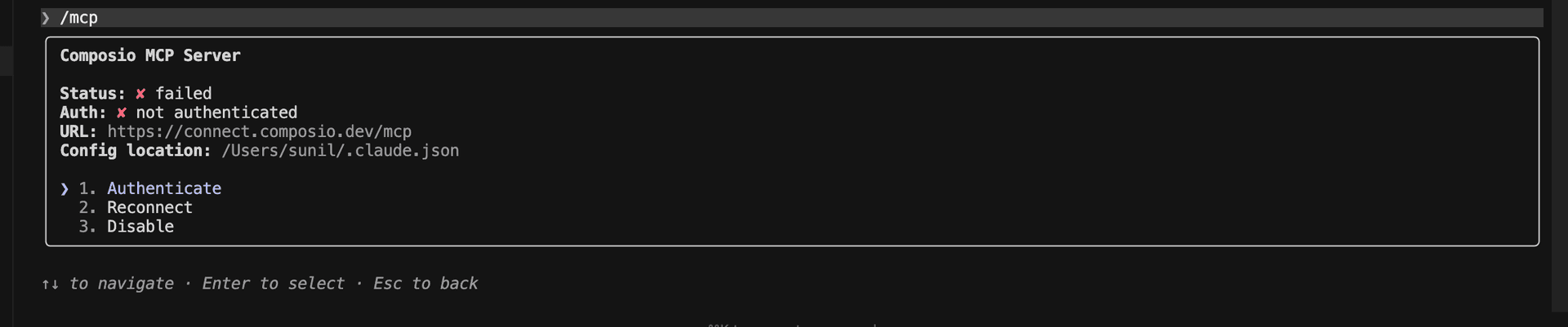
4. Select Composio and click on Authenticate

Select Composio and click Authenticate

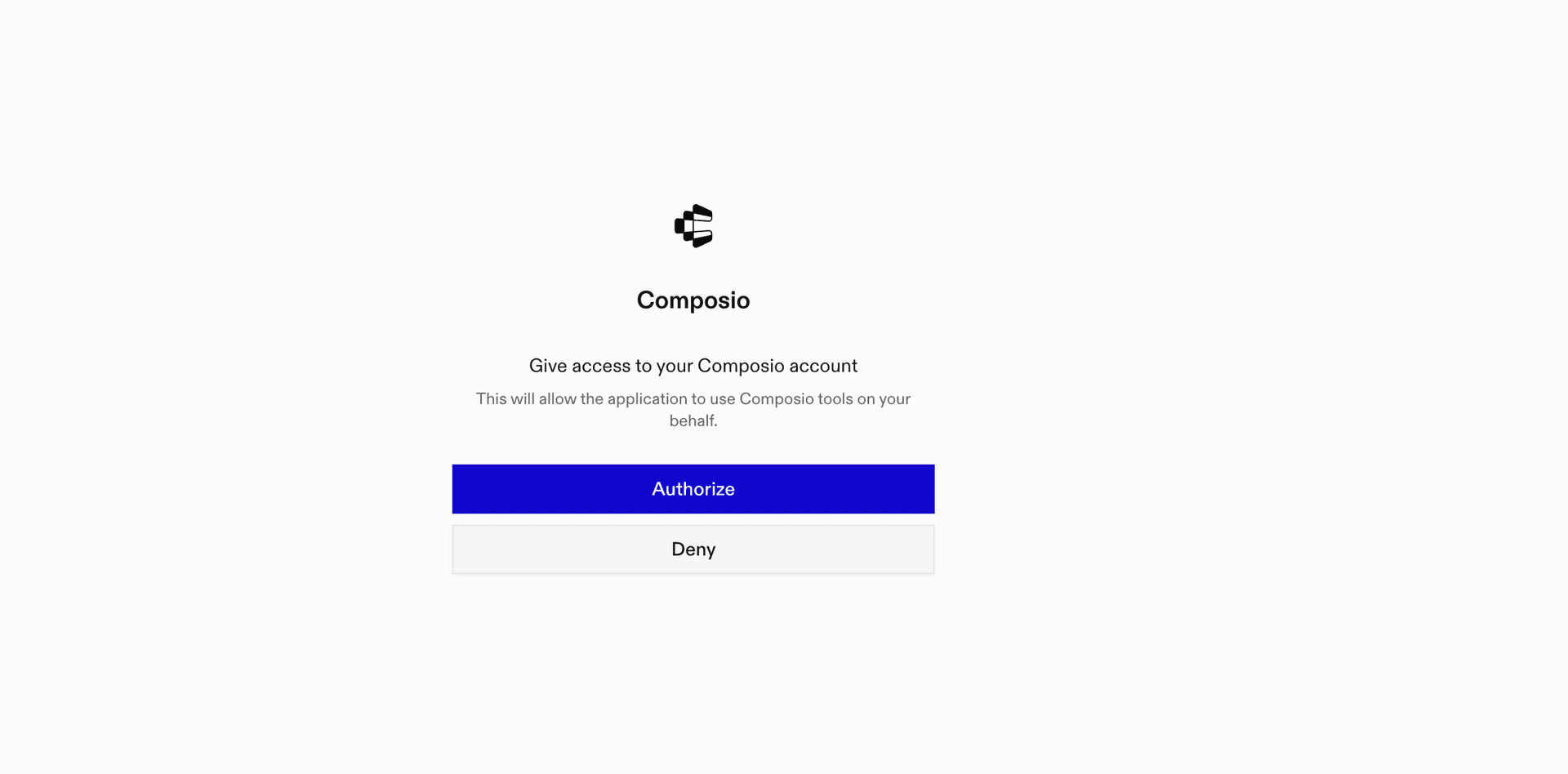
5. This will redirect you to the Composio OAuth page. Complete the flow by authorizing Composio and you're all set.

Composio OAuth authorization page
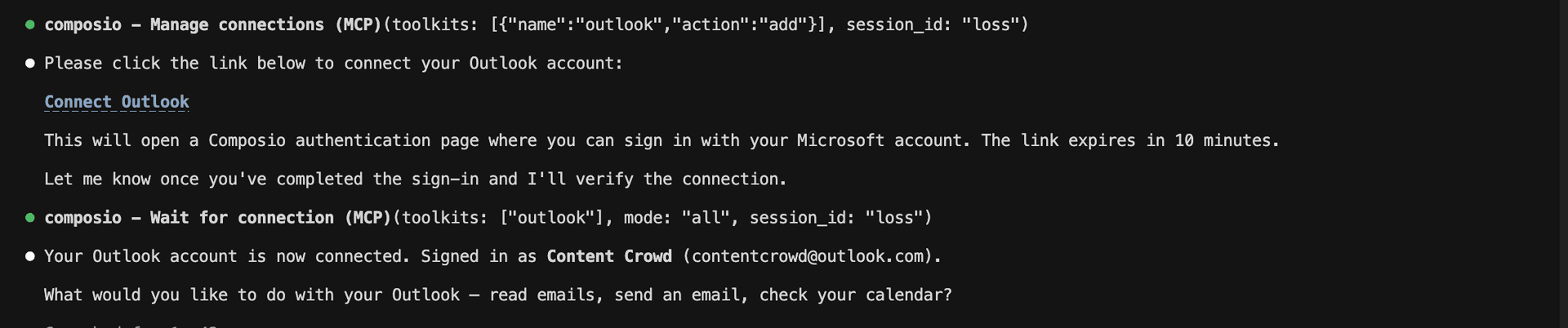
Composio authorization complete
Ask Claude to connect to your account and authenticate via the link

What is the Help Scout MCP server, and what's possible with it?

The Help Scout MCP server is an implementation of the Model Context Protocol that connects your AI agent and assistants like Claude, Cursor, etc directly to your Help Scout account. It provides structured and secure access to your inboxes, conversations, customers, organizations, and support team, so your agent can find conversations, create support requests, manage customer records, update organizations, and review team members on your behalf.

  • Conversation management: Have your agent list and filter support conversations, retrieve their details, create new conversations, and update existing ones.
  • Customer record management: Let the agent find customers, review their profiles, create new records, and update contact or profile information.
  • Inbox visibility: Direct your agent to list the Help Scout inboxes you can access and retrieve details about a specific inbox.
  • Organization management: Instruct your agent to find, create, review, and update customer organizations in Help Scout.
  • Support team lookup: Have your agent list support users, filter them by inbox or email, and retrieve individual team member details.

Connecting Help Scout via Composio SDK

Composio SDK is the underlying tech that powers Rube. It's a universal gateway that does everything Rube does but with much more programmatic control. You can programmatically generate an MCP URL with the app you need (here Help Scout) for even more tool search precision. It's secure and reliable.

How the Composio SDK works

The Composio SDK follows a three-phase workflow:

  1. Discovery: Searches for tools matching your task and returns relevant toolkits with their details.
  2. Authentication: Checks for active connections. If missing, creates an auth config and returns a connection URL via Auth Link.
  3. Execution: Executes the action using the authenticated connection.

Step-by-step Guide

Step by step10 STEPS
1

Prerequisites

Before starting, make sure you have:
  • Claude Pro, Max, or API billing enabled Anthropic account
  • Composio API Key
  • A Help Scout account
  • Basic knowledge of Python or TypeScript
2

Install Claude Code

bash
# macOS, Linux, WSL
curl -fsSL https://claude.ai/install.sh | bash

# Windows PowerShell
irm https://claude.ai/install.ps1 | iex

# Windows CMD
curl -fsSL https://claude.ai/install.cmd -o install.cmd && install.cmd && del install.cmd

To install Claude Code, use one of the following methods based on your operating system:

3

Set up Claude Code

bash
cd your-project-folder
claude

Open a terminal, go to your project folder, and start Claude Code:

  • Claude Code will open in your terminal
  • Follow the prompts to sign in with your Anthropic account
  • Complete the authentication flow
  • Once authenticated, you can start using Claude Code
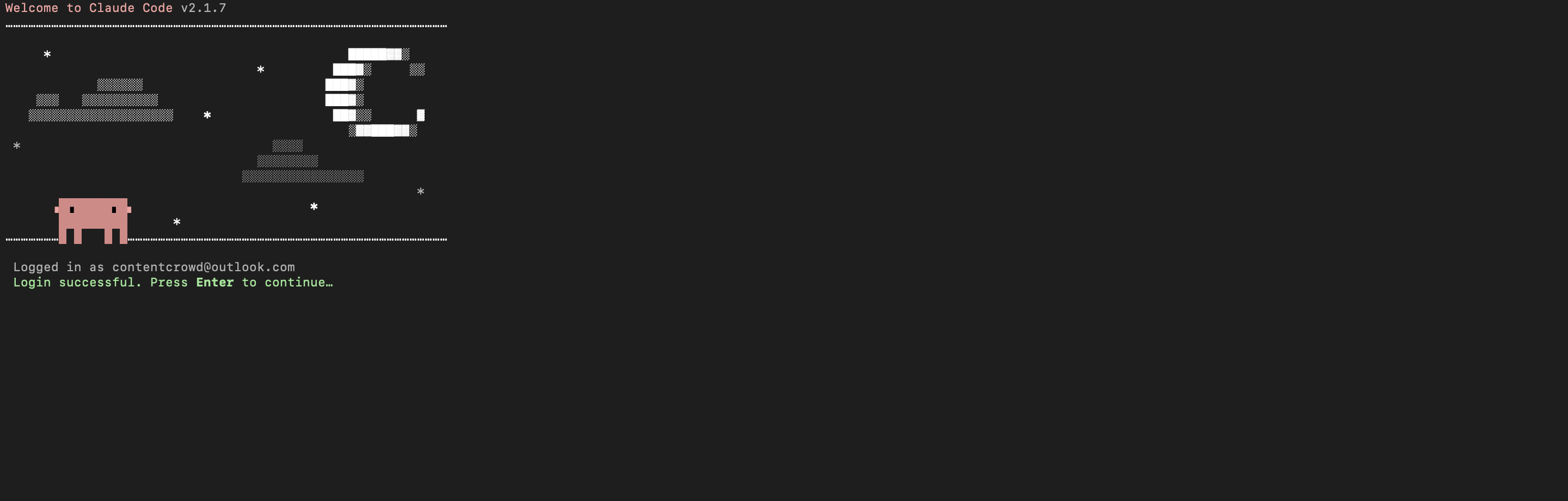
Claude Code initial setup showing sign-in prompt
Claude Code terminal after successful login
4

Set up environment variables

bash
COMPOSIO_API_KEY=your_composio_api_key_here
USER_ID=your_user_id_here

Create a .env file in your project root with the following variables:

  • COMPOSIO_API_KEY authenticates with Composio (get it from Composio dashboard)
  • USER_ID identifies the user for session management (use any unique identifier)
5

Install Composio library

npm install @composio/core dotenv

Install the Composio TypeScript library to create MCP sessions.

  • @composio/core provides the core Composio functionality
  • dotenv loads environment variables from your .env file
6

Generate Composio MCP URL

import 'dotenv/config';
import { Composio } from '@composio/core';

const { COMPOSIO_API_KEY, USER_ID } = process.env;

if (!COMPOSIO_API_KEY || !USER_ID) {
  throw new Error('COMPOSIO_API_KEY and USER_ID required in .env');
}

const composioClient = new Composio({ apiKey: COMPOSIO_API_KEY });

const composioSession = await composioClient.create(USER_ID, {
  toolkits: ['help_scout'],
});

const composioMcpUrl = composioSession?.mcp.url;

console.log(`MCP URL: ${composioMcpUrl}`);
console.log(`\nUse this command to add to Claude Code:`);
console.log(`claude mcp add --transport http help_scout-composio "${composioMcpUrl}" --headers "X-API-Key:${COMPOSIO_API_KEY}"`);

Create a script to generate a Composio MCP URL for Help Scout. This URL will be used to connect Claude Code to Help Scout.

What's happening

  • We import the Composio client and load environment variables
  • Create a Composio instance with your API key
  • Call create() to create a Tool Router session for Help Scout
  • The returned mcp.url is the MCP server URL that Claude Code will use
  • The script prints this URL so you can copy it
7

Run the script and copy the MCP URL

node --loader ts-node/esm generate_mcp_url.ts
# or if using tsx
tsx generate_mcp_url.ts

Run your TypeScript script to generate the MCP URL.

  • The script connects to Composio and creates a Tool Router session
  • It prints the MCP URL and the exact command you need to run
  • Copy the entire claude mcp add command from the output
8

Add Help Scout MCP to Claude Code

bash
claude mcp add --transport http help_scout-composio "YOUR_MCP_URL_HERE" --headers "X-API-Key:YOUR_COMPOSIO_API_KEY"

# Then restart Claude Code
exit
claude

In your terminal, add the MCP server using the command from the previous step. The command format is:

  • claude mcp add registers a new MCP server with Claude Code
  • --transport http specifies that this is an HTTP-based MCP server
  • The server name (help_scout-composio) is how you'll reference it
  • The URL points to your Composio Tool Router session
  • --headers includes your Composio API key for authentication

After running the command, close the current Claude Code session and start a new one for the changes to take effect.

9

Verify the installation

bash
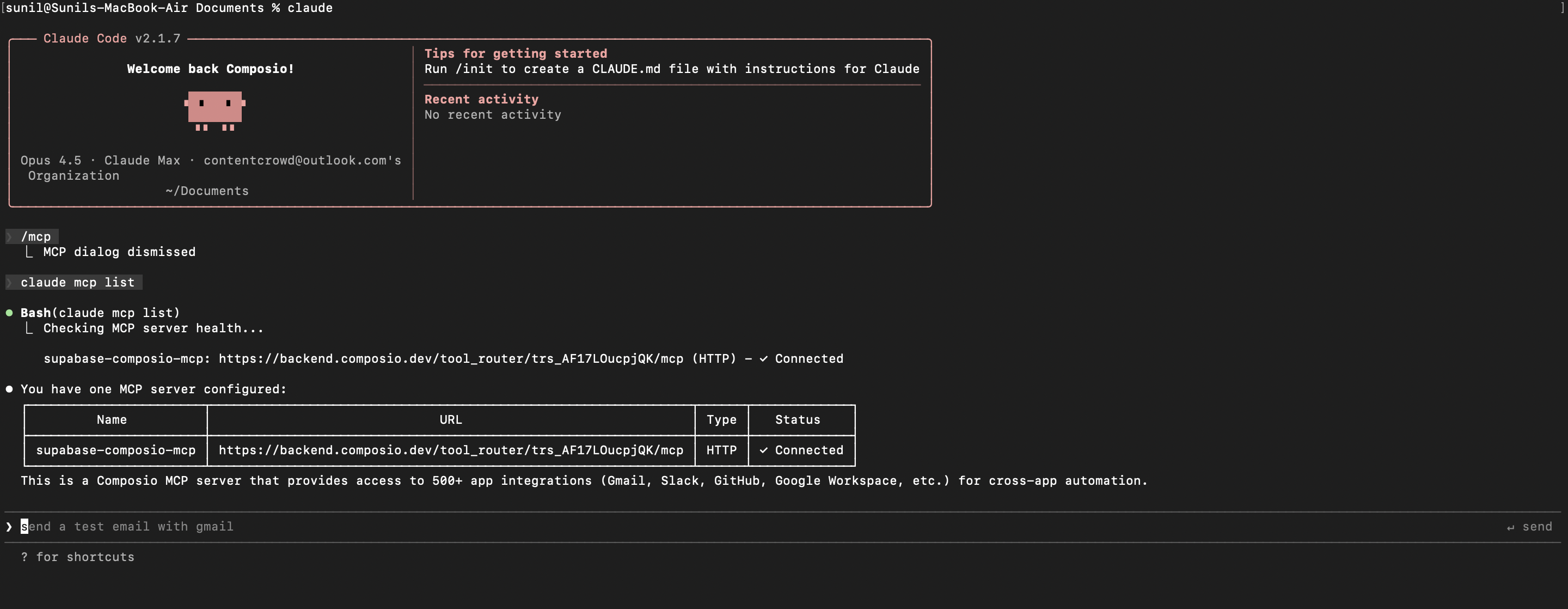
claude mcp list

Check that your Help Scout MCP server is properly configured.

  • This command lists all MCP servers registered with Claude Code
  • You should see your help_scout-composio entry in the list
  • This confirms that Claude Code can now access Help Scout tools

If everything is wired up, you should see your help_scout-composio entry listed:

Claude Code MCP list showing the toolkit MCP server
10

Authenticate Help Scout

The first time you try to use Help Scout tools, you'll be prompted to authenticate.

  • Claude Code will detect that you need to authenticate with Help Scout
  • It will show you an authentication link
  • Open the link in your browser (or copy/paste it)
  • Complete the Help Scout authorization flow
  • Return to the terminal and start using Help Scout through Claude Code

Once authenticated, you can ask Claude Code to perform Help Scout operations in natural language. For example:

  • "Summarize open Help Scout conversations"
  • "Draft replies for urgent Help Scout conversations"
  • "List unassigned Help Scout conversations"

Complete Code

Here's the complete code to get you started with Help Scout and Claude Code:

import 'dotenv/config';
import { Composio } from '@composio/core';

const { COMPOSIO_API_KEY, USER_ID } = process.env;

if (!COMPOSIO_API_KEY || !USER_ID) {
  throw new Error('COMPOSIO_API_KEY and USER_ID required in .env');
}

const composioClient = new Composio({ apiKey: COMPOSIO_API_KEY });

const composioSession = await composioClient.create(USER_ID, {
  toolkits: ['help_scout'],
});

const composioMcpUrl = composioSession?.mcp.url;

console.log(`MCP URL: ${composioMcpUrl}`);
console.log(`\nUse this command to add to Claude Code:`);
console.log(`claude mcp add --transport http help_scout-composio "${composioMcpUrl}" --headers "X-API-Key:${COMPOSIO_API_KEY}"`);

Conclusion

You've successfully integrated Help Scout with Claude Code using Composio's MCP server. Now you can interact with Help Scout directly from your terminal using natural language commands.

Key features of this setup:

  • Terminal-native experience without switching contexts
  • Natural language commands for Help Scout operations
  • Secure authentication through Composio's managed MCP
  • Tool Router for dynamic tool discovery and execution

Next steps:

  • Try asking Claude Code to perform various Help Scout operations
  • Add more toolkits to your Tool Router session for multi-app workflows
  • Integrate this setup into your development workflow for increased productivity

You can extend this by adding more toolkits, implementing custom workflows, or building automation scripts that leverage Claude Code's capabilities.

TOOLS

Supported Tools

Every Help Scout action and event your agent gets out of the box.

Create Chat Handle

Tool to create a chat handle for a Help Scout customer.

Create Chat Thread

Tool to create a new chat thread on a Help Scout conversation.

Create Conversation

Tool to create a new conversation in Help Scout.

Create Customer

Tool to create a new customer in Help Scout with contact details and profile information.

Create Customer Address

Tool to create an address for a Help Scout customer.

Create customer email

Tool to create an email for a customer in Help Scout.

Create Customer Phone

Tool to create a phone number for a Help Scout customer.

Create Customer Property

Tool to create a customer property definition in Help Scout.

Create Customer Thread

Tool to create a new customer thread on a Help Scout conversation.

Create Customer Website

Tool to create a website entry for a customer in Help Scout.

Create Note on Conversation

Tool to create a new note thread on a Help Scout conversation.

Create Organization

Tool to create a new organization in Help Scout.

Create Organization Property

Tool to create a new custom property definition for organizations in Help Scout.

Create Phone Thread

Tool to create a new phone thread on a Help Scout conversation.

Create Reply Thread

Tool to create a new reply thread on a Help Scout conversation.

Create saved reply

Tool to create a saved reply for a mailbox in Help Scout.

Create Social Profile

Tool to create a social profile for a customer in Help Scout.

Create Webhook

Tool to create a new webhook subscription in Help Scout to receive real-time event notifications.

Delete Chat Handle

Tool to delete a chat handle for a customer.

Delete Conversation

Tool to move a conversation to the deleted folder.

Delete customer

Tool to permanently delete a customer by ID from Help Scout.

Delete Customer Address

Tool to delete a customer's address from Help Scout.

Delete Customer Email

Tool to delete an email for a customer.

Delete Customer Phone

Tool to delete a customer's phone number from Help Scout.

Delete Customer Property

Tool to perform a soft delete on a customer property definition.

Delete Customer Website

Tool to delete a website for a customer.

Delete Organization

Tool to delete an organization by ID.

Delete Organization Property Customer Tier

Tool to delete a customer tier property definition from organizations.

Delete Saved Reply

Tool to delete a saved reply from a mailbox.

Delete Snooze

Tool to delete a snooze on a conversation.

Delete Social Profile

Tool to delete a social profile for a customer in Help Scout.

Delete Thread Schedule

Tool to unschedule a scheduled thread in a conversation.

Delete Webhook

Tool to permanently delete a webhook subscription from Help Scout.

Download Attachment

Tool to download an attachment file from a Help Scout conversation.

Get Attachment Data

Tool to retrieve attachment data for a specific attachment.

Get Busy Times Report

Tool to get busiest time of day report showing conversation volume by day and hour.

Get Chat Report

Tool to retrieve comprehensive chat report statistics from Help Scout.

Get Company Customers Helped Report

Tool to retrieve company customers helped report showing distinct customer count receiving support.

Get Company Drilldown Report

Tool to retrieve company drilldown report showing underlying conversation data for company statistics.

Get Company Report

Tool to retrieve overall company performance report from Help Scout.

Get Conversation

Tool to retrieve a specific conversation by ID from Help Scout.

Get Conversations Drilldown Report

Tool to get conversations drilldown report from Help Scout.

Get Conversations Field Drilldown Report

Tool to get conversations drilldown by field report from Help Scout.

Get Conversations Report

Tool to get overall conversations report with statistics on conversation volume, channels, and trends.

Get Customer

Tool to get a specific customer by ID from Help Scout.

Get Customer Address

Tool to retrieve a customer's address from Help Scout.

Get Docs Report

Tool to retrieve overall docs performance report from Help Scout.

Get Email Report

Tool to retrieve email report with volume, resolution, and response metrics from Help Scout.

Get First Response Time Report

Tool to retrieve first response time productivity report showing average response duration.

Get Happiness Ratings Report

Tool to retrieve happiness ratings report with customer satisfaction scores and feedback from Help Scout.

Get Happiness Report

Tool to retrieve overall happiness report from Help Scout.

Get Inbox

Tool to retrieve a specific inbox by ID with details including name, email, and timestamps.

Get New Conversations Drilldown Report

Tool to get new conversations drilldown report showing underlying conversation data for new conversations created within a time period.

Get New Conversations Report

Tool to get new conversations report showing conversation counts over time intervals.

Get Organization

Tool to retrieve a specific organization by ID from Help Scout.

Get Organization Conversations

Tool to get conversations associated with an organization in Help Scout.

Get Organization Customers

Tool to get customers associated with an organization in Help Scout.

Get Organization Property

Tool to retrieve a single organization property definition by its slug identifier.

Get Phone Report

Tool to retrieve phone report statistics from Help Scout.

Get Productivity Report

Tool to retrieve productivity overall report showing comprehensive team performance metrics.

Get Received Messages Report

Tool to retrieve received messages statistics report from Help Scout.

Get Replies Sent Report

Tool to get replies sent productivity report showing reply volume metrics over time.

Get Resolution Time Report

Tool to retrieve resolution time productivity report showing average time to resolve conversations.

Get Resolved Report

Tool to retrieve productivity resolved report from Help Scout.

Get Resource Owner

Tool to get the authenticated user's profile information.

Get Routing Configuration

Tool to retrieve routing configuration for a mailbox inbox.

Get Saved Reply

Tool to retrieve a specific saved reply from a mailbox.

Get Tag

Tool to retrieve a specific tag by ID from Help Scout.

Get User

Tool to retrieve a specific user by ID from Help Scout.

Get User Chat Report

Tool to retrieve user/team chat report statistics from Help Scout.

Get User Conversation History

Tool to retrieve detailed conversation history for a specific user over a designated timeframe.

Get User Customers Helped Report

Tool to retrieve user customers helped report showing distinct customer count receiving support from a specific user.

Get User Drilldown Report

Tool to get user drilldown report from Help Scout.

Get User Happiness Report

Tool to retrieve user happiness report from Help Scout.

Get User Ratings Report

Tool to retrieve user happiness ratings drilldown report showing customer satisfaction ratings for a specific user.

Get User Replies Report

Tool to retrieve user replies report showing the number of replies sent by a specific user over time.

Get User Report

Tool to retrieve overall user/team performance report from Help Scout.

Get User Resolutions Report

Tool to retrieve user resolutions report showing the number of conversations resolved by a specific user over time.

Get User Status

Tool to get the status of a user in Help Scout.

Get Volume by Channel Report

Tool to retrieve conversation volume by channel (email, chat, phone) over a specified time period.

Get Webhook

Tool to retrieve a specific webhook by ID from Help Scout.

List Chat Handles

Tool to list all chat handles for a specific customer in Help Scout.

List Conversations

Tool to list and filter conversations from Help Scout.

List Customer Emails

Tool to list all emails for a specific customer in Help Scout.

List Customer Phones

Tool to list all phone numbers for a specific Help Scout customer.

List Customer Properties

Tool to list all customer property definitions.

List Customers

Tool to list customers in Help Scout with optional filters for name, email, or modification date.

List Customer Websites

Tool to list all websites associated with a specific customer in Help Scout.

List Inbox Custom Fields

Tool to list all custom fields configured for a specific inbox.

List Inboxes

Tool to list all mailboxes (inboxes) the user has access to with pagination support.

List Inbox Folders

Tool to retrieve all folders within a specific inbox/mailbox.

List Organizations

Tool to list all organizations (companies) in Help Scout with optional filtering and sorting.

List Organizations Properties

Tool to list all organization property definitions.

List Saved Replies

Tool to list saved replies for a mailbox.

List Social Profiles

Tool to list all social profiles for a customer in Help Scout.

List Tags

Tool to list all tags in Help Scout with pagination support.

List Teams

Tool to list all teams in Help Scout with pagination support.

List Threads

Tool to list all threads for a specific Help Scout conversation.

List Users

Tool to list all users in the Help Scout account with optional filters for mailbox or email.

List Users Status

Tool to list the status of all users including email and chat availability.

List Webhooks

Tool to retrieve all webhooks configured in Help Scout.

List Workflows

Tool to list all workflows (automation rules) in the account with optional filters for mailbox, type, and status.

Overwrite Customer

Tool to overwrite an existing customer in Help Scout, replacing all customer data.

Publish Thread Schedule

Tool to publish a scheduled thread immediately in a Help Scout conversation.

Remove Organization Property Value

Tool to remove an organization property value.

Run Manual Workflow

Tool to run a manual workflow on one or more conversations in Help Scout.

Set Organization Property Value

Tool to set or update a property value for a specific organization.

Set User Status

Tool to set the status of a user in Help Scout.

Update Chat Handle

Tool to update a chat handle for a Help Scout customer.

Update Conversation

Tool to update specific properties of a Help Scout conversation using JSON Patch format.

Update Conversation Tags

Tool to update tags on a conversation in Help Scout.

Update Conversation Thread Schedule

Tool to update an existing schedule for a conversation thread in Help Scout.

Update Customer

Tool to update an existing customer in Help Scout using JSON Patch operations.

Update Customer Address

Tool to update an existing address for a Help Scout customer.

Update customer email

Tool to update an existing email for a customer in Help Scout.

Update Customer Phone

Tool to update an existing phone number for a Help Scout customer.

Update Customer Properties

Tool to update custom property values for a Help Scout customer using JSON Patch operations.

Update Customer Social Profile

Tool to update an existing social profile for a customer in Help Scout.

Update Customer Website

Tool to update an existing website URL for a customer in Help Scout.

Update Custom Fields

Tool to update custom fields on a Help Scout conversation.

Update Mailbox Routing Configuration

Tool to update routing configuration for a mailbox inbox in Help Scout.

Update Organization

Tool to update an organization in Help Scout.

Update Organization Property

Tool to update an organization property definition in Help Scout.

Update Organization Property Industry

Tool to update the industry organization property definition in Help Scout.

Update saved reply

Tool to update an existing saved reply in a Help Scout mailbox.

Update Conversation Snooze

Tool to update or set a snooze on a Help Scout conversation.

Update Thread

Tool to update a specific thread in a Help Scout conversation using JSON Patch format.

Update Webhook

Tool to update an existing webhook subscription in Help Scout.

Update Workflow Status

Tool to update the status of a Help Scout workflow (enable/disable automation rule).

FAQ

Frequently asked questions

With a standalone Help Scout MCP server, the agents and LLMs can only access a fixed set of Help Scout tools tied to that server. However, with the Composio Tool Router, agents can dynamically load tools from Help Scout and many other apps based on the task at hand, all through a single MCP endpoint.

Yes, you can. Claude Code fully supports MCP integration. You get structured tool calling, message history handling, and model orchestration while Tool Router takes care of discovering and serving the right Help Scout tools.

Yes, absolutely. You can configure which Help Scout scopes and actions are allowed when connecting your account to Composio. You can also bring your own OAuth credentials or API configuration so you keep full control over what the agent can do.

All sensitive data such as tokens, keys, and configuration is fully encrypted at rest and in transit. Composio is SOC 2 Type 2 compliant and follows strict security practices so your Help Scout data and credentials are handled as safely as possible.

Start with Help Scout.It takes 30 seconds.

Managed auth, hosted MCP servers, and every Help Scout tool your agent needs.Free to start.

Start building